Online CT and CBCT viewer
CT viewer in your browser
Free, no sign-up, nothing to install. Your files never leave your computer.
- Free
- No sign-up
- Files stay with you
Three steps to your scan
Open the viewer
Nothing to install — a browser on a computer, tablet or phone is enough.
Choose a file
Single DICOM files, the whole folder from the clinic disc, a ZIP, 7z or RAR archive, or a Morita file.
Look
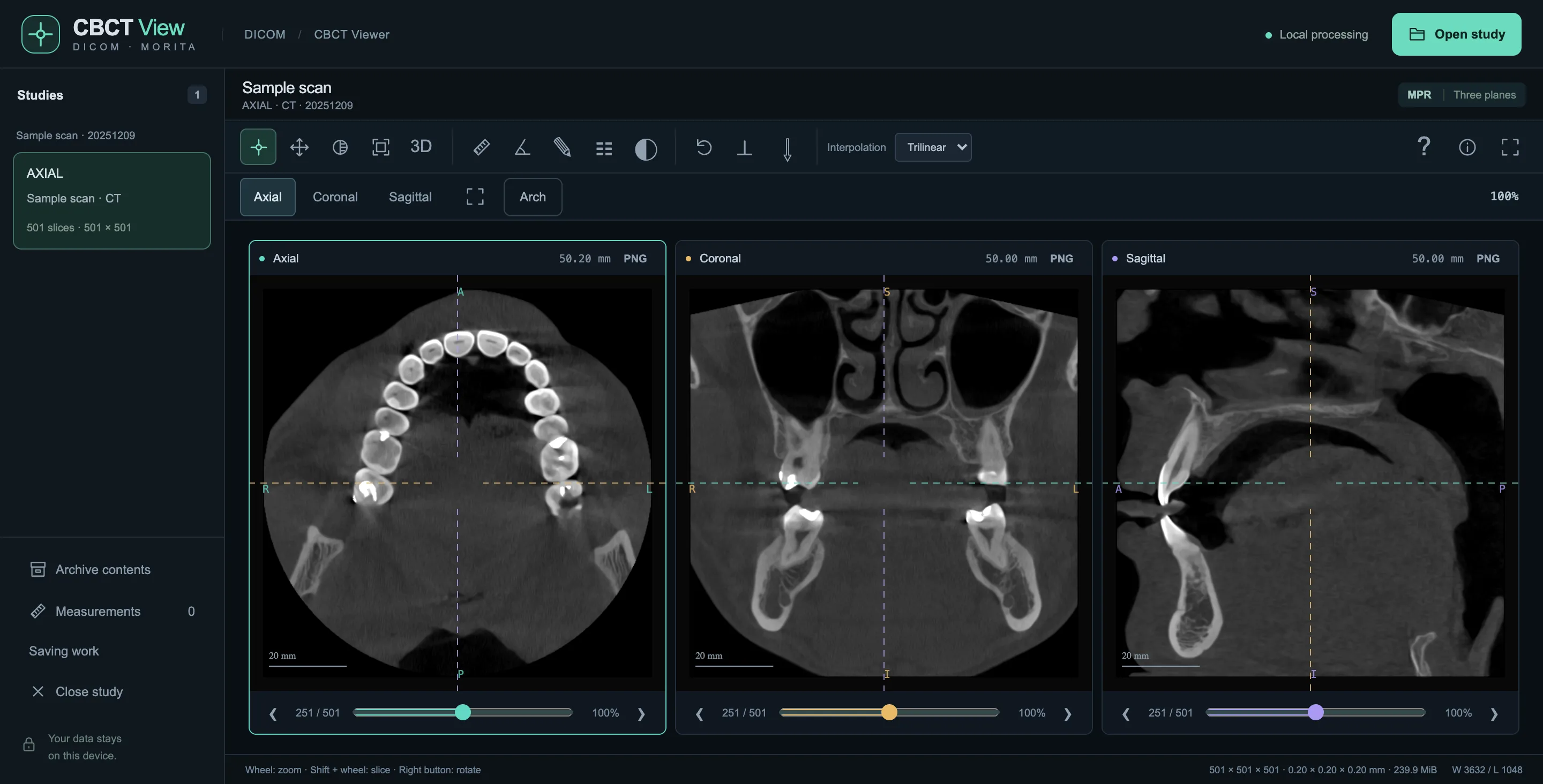
Three planes, a panoramic view, cross-sections and 3D appear within seconds.
Your scan goes nowhere
Your browser reads the file on your own device. The browser’s security rules forbid the viewer page from sending data over the network — even a bug in the program cannot send the scan. No sign-up, no cookies, no analytics.
Check it yourself: open your browser’s “Developer tools” → “Network” and open a file. No requests sending data will appear.
What it opens
- DICOM: single files or the whole folder from a patient disc
- ZIP, 7z and RAR archives — no need to unpack
- Morita scanners: the CT_0.vol file or the .SL folder
What it does
- Three planes — axial, coronal, sagittal — plus oblique slices
- Panoramic view along the dental arch and cross-sections
- 3D volume rendering
- Approximate distance and angle measurements
- Save images as PNG and your work to a file
Who it is for
Patients
Look at the CT from the disc you got at the clinic without hunting for software or a computer with a disc drive — an archive or a folder is enough.
Dentists
Quickly open a scan a patient brought, show them what is visible, and make sure the file can be passed on.
Frequently asked questions
Are my files uploaded to a server?
No. Your browser reads the file on your own computer; it is never sent to a server or stored anywhere. The browser's security rules forbid the viewer page from sending data over the network. There is no sign-up, no cookies and no analytics. When you close the tab, the scan is gone from memory.
Is it free? Do I need an account?
It is free and needs no account. There is nothing to install — a modern browser is enough.
Which files can I open?
CT and CBCT scans in DICOM format: single files, the folder from the disc you got at the clinic, or a ZIP, 7z or RAR archive. Also files from Morita scanners (CT_0.vol or the .SL folder). Compressed DICOM (JPEG, JPEG 2000, RLE) is not supported yet.
Why won't my file open?
The viewer tells you the reason. Most often it is compressed DICOM, a password-protected archive, or not enough memory for a large scan. In that case close other tabs or open the file on a computer rather than a phone.
Does it work on phones, Mac and Windows?
Yes, in modern browsers on computers, tablets and phones. 3D needs a browser with WebGL 2. Large scans may not fit into a phone's memory.
How do I save my work and continue later?
Any image can be saved as PNG. The dental arch and measurements can be saved to a small work file that does not contain the scan itself. To continue, open the same scan and that file.
Can I use it for diagnosis?
No. This viewer is for review and education; it is not a medical device. The accuracy of the image, sides and measurements has not been verified. For diagnosis and treatment planning, use software intended for that purpose.
Who made this viewer?
It was made with the support of StomaLine, a dental clinic in Ukraine, so that patients and dentists can look at a scan from a disc without installing anything.
File won’t open or have a question?
Write to us — we will reply to your email.